ntryk
ntryk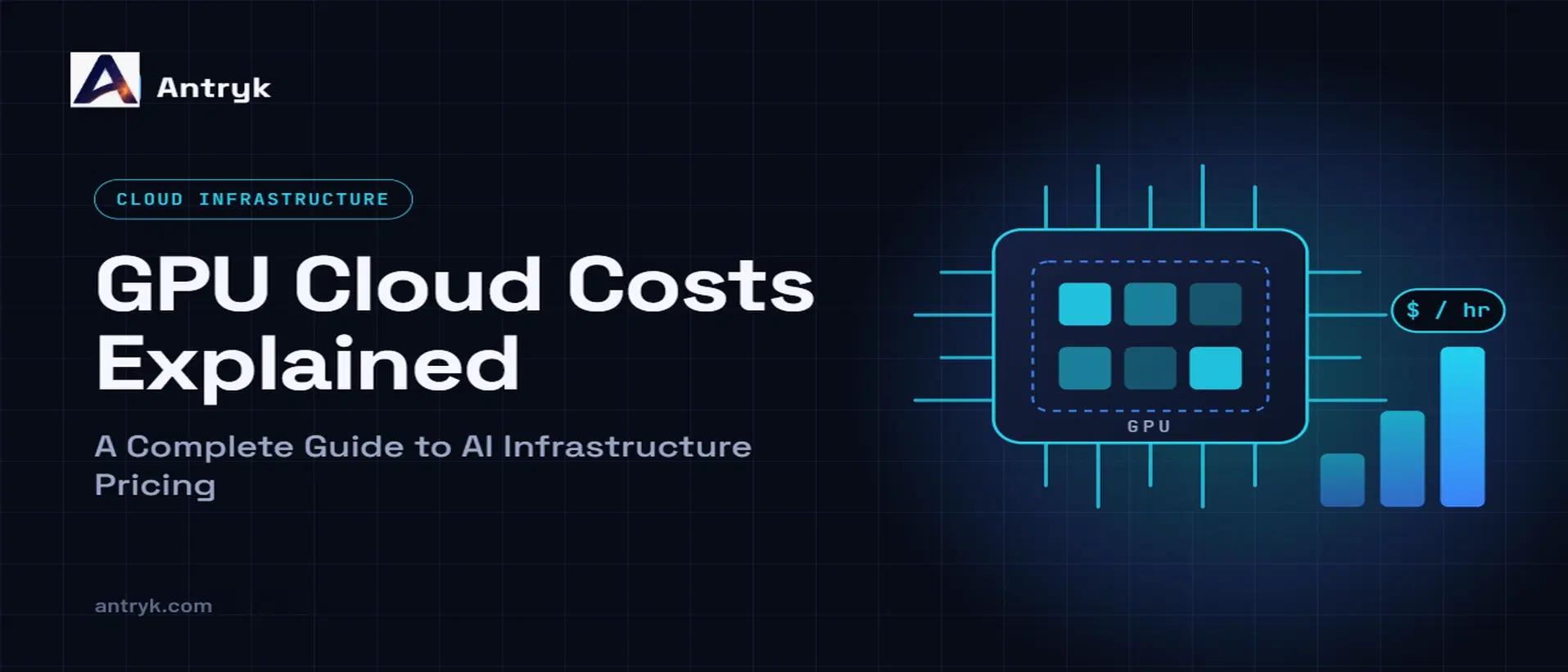
GPU cloud computing has made it easier for developers, startups, and businesses to build and deploy AI applications without purchasing expensive GPU hardware. But choosing a cloud GPU involves more than comparing hourly prices.
The actual cost depends on the GPU model, memory requirements, workload duration, storage, supporting infrastructure, and how efficiently you use your resources.
A lightweight AI application handling inference tasks can often run efficiently on a basic GPU, whereas larger language models (LLMs) and resource-intensive training jobs typically need greater GPU memory and computational capacity.
Understanding these cost factors helps you choose the right infrastructure, avoid unnecessary spending, and plan your AI budget more effectively.
In this guide, we'll explain GPU cloud pricing, the factors that influence your bill, how to estimate GPU costs, and practical ways to optimize your AI infrastructure spending.
What Is GPU Cloud Pricing?#
GPU cloud pricing is the amount you pay to access graphics processing units (GPUs) and related computing resources through a cloud provider.
Instead of purchasing physical GPUs and maintaining your own servers, you rent GPU-powered infrastructure over the internet. The provider manages the underlying hardware, while you use the resources for workloads such as AI inference, machine learning, model training, image generation, and scientific computing.
Most providers offer one or more pricing models:
Hourly pricing: Pay according to the time your GPU instance runs.
Per-second or per-minute billing: Pay for shorter intervals of compute usage, where supported.
Monthly subscriptions: Pay a recurring amount for a defined service or resource allocation.
Reserved or committed pricing: Commit to using resources for a longer period, sometimes in exchange for discounted rates.
Usage-based pricing: Pay according to measured resource consumption or another provider-defined usage unit.
The billing model matters because two providers offering similar GPUs may calculate costs differently.
For example, one provider might charge separately for the GPU, virtual machine, storage, and networking. Another may bundle deployment features into the GPU service plan.
Before choosing a provider, understand exactly what the quoted price includes.
1. GPU Hardware Is One of the Biggest Cost Factors#
Not every AI application needs the same GPU.
Entry-level cards can be sufficient for lightweight inference and smaller workloads. Larger models, higher traffic, and demanding training tasks may require more memory and processing capacity.
A more powerful GPU generally costs more, but paying for the most expensive option does not automatically deliver the best value.
How GPU selection affects pricing#
Entry-level GPUs
These can suit lightweight inference, smaller AI models, development environments, and applications with modest resource requirements.
Mid-range GPUs
These can support more demanding inference workloads, generative AI applications, image processing, and some fine-tuning tasks, depending on memory and performance requirements.
High-performance GPUs
These are designed for demanding workloads such as large-model inference, intensive fine-tuning, and model training. The appropriate choice depends on model size, precision, batch size, and performance targets.
The key is to select a GPU that meets your workload requirements without paying for capacity you don't need.
Example: Antryk GPU pricing#
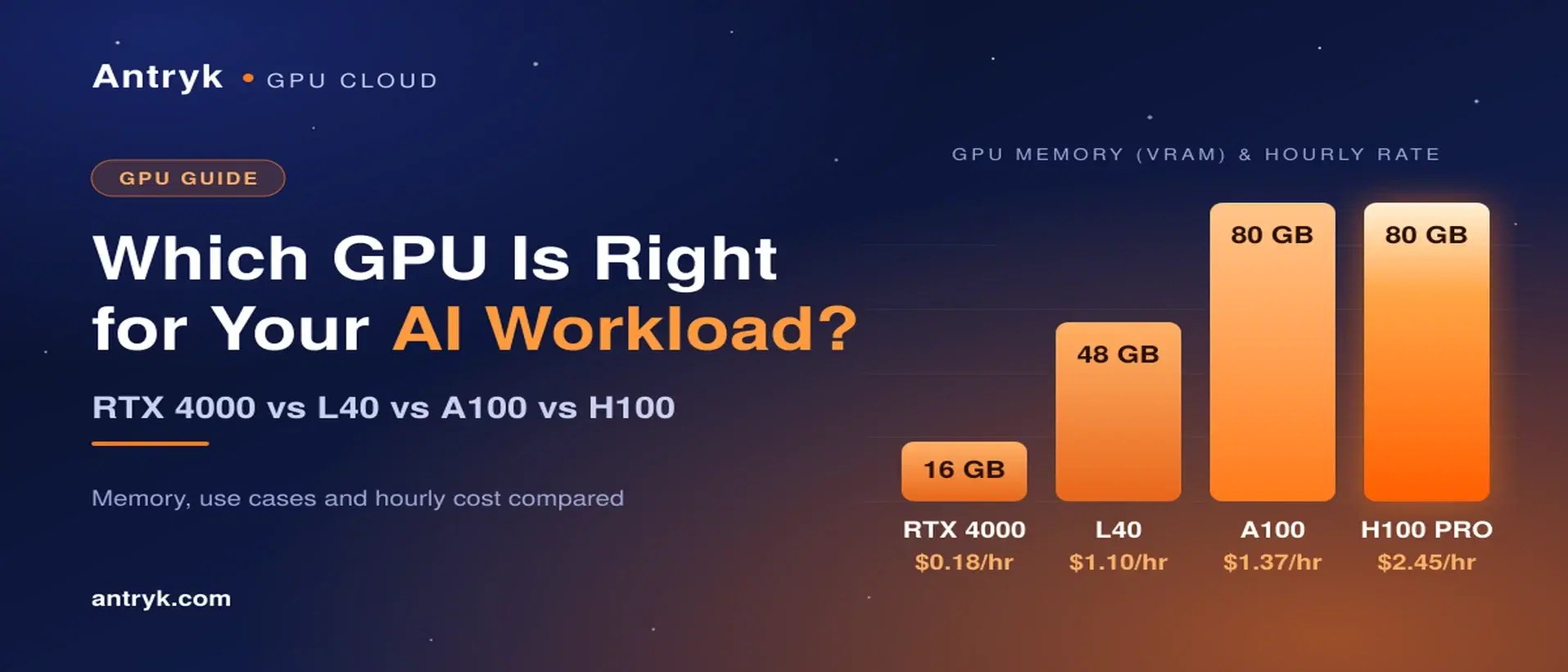
Antryk offers several GPU service tiers with different hourly rates and resource allocations. The following prices are listed on its GPU Application Service pricing page.
| RTX 4000 | $0.18/hour | 16 GB |
| RTX 6000 | $0.55/hour | 48 GB |
| L40 | $1.10/hour | 48 GB |
| A100 | $1.37/hour | 80 GB |
| H100 PRO | $2.45/hour | 80 GB |
Prices are in USD and should be verified on the provider's pricing page before purchasing.
These plans illustrate why choosing based on workload requirements matters. The right option depends on the model you want to run, the amount of GPU memory required, and your performance expectations.
Explore the available plans on the Antryk GPU Application Service pricing page.
2. GPU Memory Requirements Affect Your Infrastructure Budget#
GPU memory, commonly called VRAM, determines how much model data and related workload information can fit directly into GPU memory.
This is particularly important when deploying large language models, generating images, or training machine learning models.
If your GPU has insufficient memory, you may encounter out-of-memory errors, need to reduce your batch size, or have to choose a different model configuration.
What determines GPU memory requirements?#
Several factors influence how much memory your application needs:
Model size: Larger models generally require more memory.
Precision: Lower-precision formats can reduce memory requirements, depending on model support and implementation.
Batch size: Processing more requests or examples together can increase memory usage.
Context length: Longer LLM input and output contexts can increase memory requirements.
Runtime overhead: Frameworks, intermediate tensors, and caching also consume GPU memory.
For example, running a quantized language model for inference may require considerably less memory than fine-tuning the same model.
Before selecting a GPU, estimate the model's memory requirements and leave enough headroom for your application's actual workload.
3. GPU Usage Hours Determine Your Compute Cost#
The number of hours your GPU runs can have a significant effect on your total bill.
An application that runs occasional inference jobs has different compute requirements from a production service that processes requests throughout the day.
For an hourly-billed GPU, a simple estimate is:
GPU compute cost = Hourly GPU rate × Billable hours
Let's use Antryk's listed RTX 4000 rate of $0.18 per hour as an illustrative example.
| 10 hours | $1.80 |
| 50 hours | $9.00 |
| 100 hours | $18.00 |
| 200 hours | $36.00 |
| 720 hours | $129.60 |
These estimates assume the same hourly rate throughout the period and exclude any additional charges or taxes. They are not a quote or a guarantee of your final bill.
The important distinction is between the time you actively need GPU computing and the time your infrastructure remains billable.
Why idle GPU time matters#
Suppose you run experiments for three hours each day but leave a full-price GPU instance running for the remaining 21 hours.
Your application may use only a small portion of the available compute time, yet your provider could continue charging for the running instance.
To control costs, review whether your workload needs continuous availability or can be paused between jobs.
For intermittent tasks, consider scheduling compute sessions, shutting down unused instances where appropriate, or using hibernation if your provider supports it.
4. Idle Resources Can Increase Your GPU Cloud Bill#
An underused GPU is not necessarily an inexpensive GPU.
When an instance remains active without processing useful work, you may continue paying for its allocated compute resources.
This can happen when:
Developers leave testing environments running overnight.
Model-training experiments finish but instances remain active.
Development teams create temporary GPU services and forget to stop them.
AI applications experience irregular traffic.
Batch-processing jobs run only at scheduled intervals.
How can GPU hibernation help?#
GPU hibernation allows supported services to pause active compute when the resources are not needed. The exact behavior and billing depend on the provider.
Antryk supports on-demand hibernation for its GPU workloads, allowing users to pause compute and pay minimal standby charges rather than the full GPU rate while hibernated.
This can be useful for development environments, intermittent workloads, and applications that don't require uninterrupted GPU availability.
However, check whether your application can tolerate hibernation. Services that need immediate responses may require an always-ready instance or another architecture to meet their latency requirements.
5. Storage, Networking, and Supporting Resources May Add Costs#
GPU compute is only one part of AI infrastructure.
Depending on the provider and service configuration, your bill may also include storage, network traffic, virtual machines, persistent disks, backups, or other services.
Storage costs#
AI workloads can generate large files, including:
Model weights and checkpoints
Training datasets
Generated images and videos
Application logs
Intermediate processing files
Keeping these files in persistent storage may incur charges even when the GPU is not actively running.
Review storage retention policies and remove files you no longer need, while preserving important datasets and backups.
Networking costs#
Some providers charge for data transferred out of their infrastructure or for particular network configurations.
This can matter when an application serves large files, transfers datasets, or delivers generated media to users.
Check your provider's networking and bandwidth policies rather than assuming that the advertised GPU rate covers every data-transfer cost.
CPU and RAM#
GPU applications also require CPU, system memory, and other supporting resources.
The total price may include these resources in a bundled plan or charge for them separately. Check the pricing structure before comparing providers.
6. On-Demand vs. Reserved GPU Pricing#
The best pricing model depends on how consistently you need GPU resources.
| Usage pattern | Variable or intermittent | Predictable, sustained |
| Commitment | Often flexible | Usually requires a commitment |
| Cost structure | Pay for usage under the provider's billing rules | May offer discounted rates for longer commitments |
| Flexibility | Useful for experiments and changing workloads | Better suited to planned capacity requirements |
| Main risk | Costs can rise with usage | You may pay for capacity you don't fully use |
When should you choose on-demand pricing?#
On-demand resources can be suitable when you're developing an AI application, testing models, running occasional jobs, or still estimating your production requirements.
You can avoid committing to a longer-term arrangement before you understand your usage patterns.
When should you consider reserved pricing?#
Reserved or committed pricing may be worth evaluating when your workload is stable, your capacity requirements are predictable, and the savings justify the commitment.
Calculate the cost of the committed capacity against your realistic expected usage, not your maximum possible usage.
Always check the provider's actual contract, cancellation terms, and billing conditions.
7. How to Calculate Your Monthly GPU Cloud Cost#
You can estimate your compute budget using a straightforward calculation.
Monthly GPU compute cost = Hourly GPU rate × Billable hours per day × Number of days
For example, imagine you select a GPU priced at $0.55 per hour and use it for four hours daily over 30 days.
Hourly rate: $0.55
Daily usage: 4 hours
Billing period: 30 days
Estimated compute cost:
$0.55 × 4 × 30 = $66 per month
This is a compute-only estimate. Your final total may differ depending on standby charges, storage, network usage, taxes, and the provider's billing rules.
8. Seven Practical Ways to Reduce GPU Cloud Costs#
You don't always need a more expensive GPU to improve AI application performance. Sometimes, better resource management can deliver more value from your existing infrastructure.
1. Match the GPU to your workload#
Avoid choosing hardware based only on its specifications or popularity. Start with your model's memory requirements, throughput targets, and latency needs.
2. Stop paying for unused compute#
Identify development environments and temporary workloads that remain active after use. Stop or hibernate them when appropriate.
3. Optimize your model#
Techniques such as quantization, efficient inference engines, and suitable batching can improve resource utilization. Test the effects on output quality and latency before deploying changes.
4. Monitor GPU utilization#
Track memory consumption, processing utilization, request volume, and latency. Low utilization may indicate that your instance is oversized or your workload is not efficiently using the available hardware.
5. Separate development from production#
Development environments often don't need the same availability as production services. Use a lower-cost setup for experimentation where practical, while protecting production reliability.
6. Review storage and data-transfer costs#
Remove unnecessary artifacts, manage old checkpoints, and review network traffic. Persistent storage and data transfer can add up over time.
7. Reassess your infrastructure regularly#
AI applications change as models, traffic, and business requirements evolve. Review actual usage before upgrading to a more powerful GPU or committing to a longer billing period.
9. GPU Service vs. Web Service: Which One Is More Cost-Effective?#
Not every AI-related application needs a dedicated GPU service.
A web service may be sufficient for standard API endpoints, authentication, application logic, and database interactions that run efficiently on CPUs.
A GPU service is more appropriate when the workload needs GPU acceleration, such as running supported machine learning models, processing images, or performing GPU-intensive inference.
For example, an AI product might use a web service for its user interface and API logic while sending model-inference tasks to a separate GPU-backed service.
This separation can help you allocate expensive GPU resources only to the components that need them.
Antryk offers both web and GPU service options, so developers can evaluate the appropriate infrastructure for each part of their application.
10. What Should You Look for in a GPU Cloud Provider?#
Hourly pricing is important, but it shouldn't be your only selection criterion.
Before choosing a provider, evaluate the following:
Transparent pricing: Can you understand the hourly rate and potential additional charges?
Suitable GPU options: Are the available GPUs compatible with your model and performance requirements?
Deployment workflow: Can you deploy from Git or container images without unnecessary manual setup?
Cost controls: Can you monitor usage, stop resources, or hibernate supported workloads?
Scaling options: Can you move to a larger GPU when your requirements grow?
Storage and networking: Are persistent data and transfer costs clearly explained?
Reliability: Does the platform meet your application's availability and recovery requirements?
Security: Can you manage credentials, environment variables, and application access appropriately?
The most cost-effective provider is the one that meets your workload's technical requirements at a sustainable total cost.
How Antryk Helps Simplify GPU Application Deployment#
Choosing a GPU is only one part of running an AI application. Developers also need to configure the environment, install dependencies, manage secrets, and deploy the application reliably.
Antryk's GPU Application Service combines GPU compute with a deployment workflow designed for AI, machine learning, and LLM workloads.
According to its pricing page, the platform supports:
Multiple GPU service tiers for different workloads
Pay-per-use compute pricing
Git-based application deployments
Docker container support
Custom build and start commands
Environment-variable management
Automated infrastructure provisioning
On-demand GPU hibernation
These capabilities can help teams manage deployment without setting up every infrastructure component manually.
Before choosing a plan, compare the available hardware against your model's memory requirements, expected traffic, and performance goals. Review the current pricing and standby conditions to estimate the complete cost of running your application.
Explore Antryk GPU Application Service: https://www.antryk.com/pricing/gpu-application-service
Frequently Asked Questions About GPU Cloud Pricing#
1. How much does GPU cloud computing cost?#
GPU cloud costs vary by hardware, provider, usage duration, and billing model. Some entry-level GPU plans cost cents per hour, while high-performance configurations can cost several dollars per hour or more. Always check current pricing and the full billing conditions.
2. Is GPU cloud cheaper than buying a GPU?#
Cloud GPUs can reduce upfront hardware costs and the burden of maintaining physical infrastructure. They may be economical for short-term, variable, or experimental workloads. For continuous, predictable workloads, compare long-term cloud expenses with hardware purchase, electricity, maintenance, and operational costs.
3. Do I pay for an idle GPU?#
That depends on the provider and the instance's state. A running instance may continue to incur compute charges even when it isn't processing requests. Some providers offer stop, pause, or hibernation features with different standby and storage charges.
4. Which GPU is best for AI inference?#
The best GPU depends on model size, memory requirements, expected request volume, and latency targets. Smaller models may run on entry-level hardware, while larger models or higher-throughput applications may require more memory and processing capacity.
5. What is the difference between GPU hourly pricing and monthly pricing?#
Hourly pricing calculates costs based on billable usage time. Monthly pricing charges a recurring amount for a defined plan or resource allocation. Compare the included capacity and billing rules to determine which is more suitable for your workload.
6. Can I reduce GPU costs without changing providers?#
Yes. You can right-size your GPU, stop unused resources, optimize inference, manage storage, and improve utilization. These changes may reduce spending without requiring a platform migration.
7. Do I need a GPU to deploy an AI application?#
Not always. Applications that call an external AI API or perform lightweight backend tasks may run without a dedicated GPU. A GPU becomes useful when your application needs local GPU-accelerated inference, model training, fine-tuning, or other supported compute-intensive workloads.
Final Thoughts#
GPU cloud pricing is not just about finding the lowest hourly rate. It is about understanding how hardware, memory, usage time, storage, and deployment choices combine to determine your total infrastructure cost.
Start by identifying your workload requirements, estimate realistic compute hours, and check how your provider handles idle resources and additional charges. Then monitor actual usage and optimize your setup as your application grows.
With the right GPU and a clear understanding of billing, you can run AI applications more efficiently without paying for resources you don't need.
If you're planning to deploy an AI or machine learning application, explore the available options on Antryk's GPU Application Service pricing page and choose a configuration that matches your workload.