ntryk
Build a RAG Chatbot with Qdrant, FastAPI and a GPU (Step by Step)#
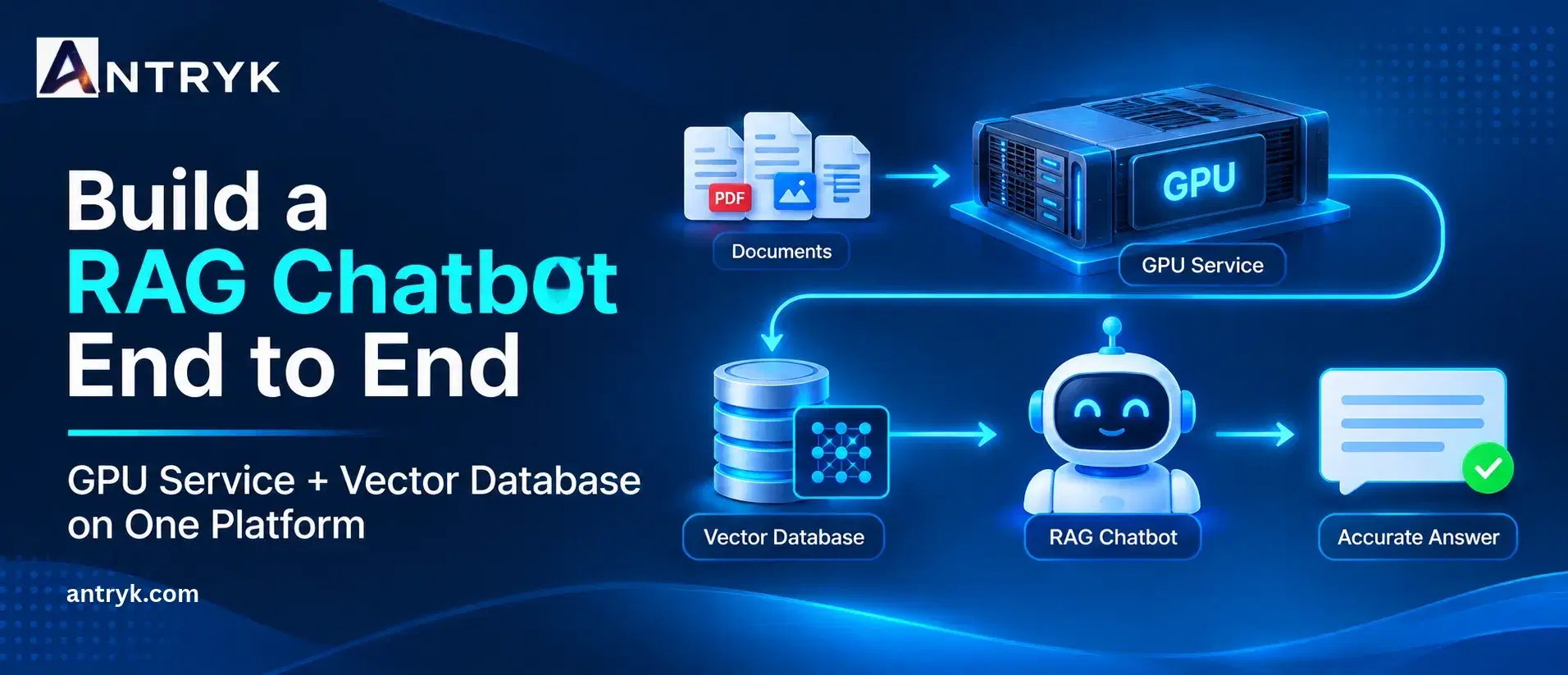
A large language model only knows what it saw during training. It has never read your product docs, your HR policies or last week’s support tickets. Retrieval-Augmented Generation (RAG) fixes that: instead of retraining the model, you store your documents in a vector database, retrieve the most relevant passages for each question and hand them to the model as context.
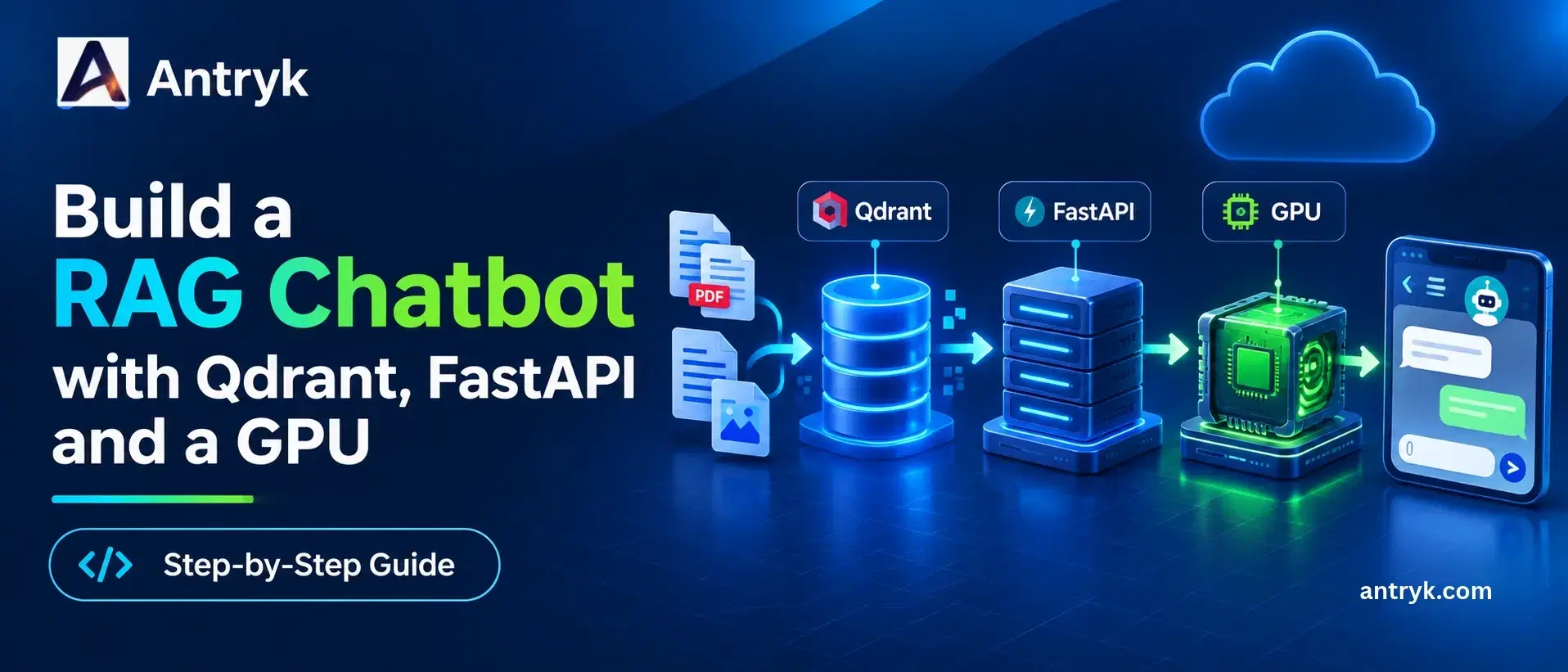
In this tutorial you will build a complete RAG chatbot using three pieces:
Qdrant (managed on Antryk) to store and search your document embeddings
FastAPI to receive questions, retrieve context and call the model
An open-source LLM on a GPU (served with vLLM on an Antryk GPU Service) to write the answers
Everything runs on one platform, deploys from Git, and is billed by the hour, so you can try it for a few dollars.
1. How the RAG chatbot works#
A RAG system has two pipelines.
Ingestion (run when your documents change):
Documents -> split into chunks -> embedding model -> QdrantQuestion answering (run on every user question):
Question -> embedding model -> Qdrant similarity search
         -> top matching chunks + question -> LLM on GPU -> answer
Because the knowledge lives in Qdrant, you can add or update documents at any time without touching the model.
On Antryk, the finished system is three services:
| Service | What it does | Antryk product |
|---|---|---|
| Vector database | Stores embeddings, runs similarity search | Managed Qdrant |
| RAG backend | FastAPI app: embeds questions, retrieves context, calls the LLM | Web Service |
| LLM server | Open-source model behind an OpenAI-compatible API | GPU Service |
Splitting the backend and the GPU matters for cost: the lightweight API can stay online all day while the GPU is only active when you need it.
2. What you need#
An Antryk account (new accounts get $10 in free trial credit)
A GitHub repository (Antryk deploys from GitHub; GitLab and Bitbucket are listed as coming soon)
Python 3.10 or newer on your computer for the ingestion step
Basic familiarity with Python and REST APIs
3. Step 1: Deploy a managed Qdrant database on Antryk#
Qdrant is an open-source vector database built for similarity search. On Antryk you can deploy a managed instance without writing Helm charts or running Kubernetes, and Antryk handles the infrastructure, backups and scaling.
- 1
In the Antryk dashboard, click Create Database and choose Qdrant.
- 2
Enter a Database Name, for example
rag_knowledge_base. - 3
Set an API Key. You can type your own or use Generate Key to create a strong one.
- 4
Choose a region (USA, Asia or Europe). Pick the one closest to your backend.
- 5
Configure access control. You can allow specific IP addresses, or allow all IPs. Allow-all is meant for development and testing only, so plan to restrict it before going live.
- 6
Configure automated backups: enable them, then choose a frequency (hourly, daily or monthly) and a retention period (7, 14, 30 or 90 days).
- 7
Select a plan and click Deploy Database.
When it is ready, open the database Overview page and copy the domain endpoint. It looks like https://your-qdrant-instance.antryk.com. Together with your API key, that is everything your app needs to connect.
Managed vector databases on Antryk start at $5.99 per month, with fixed pricing and no per-query or per-vector charges.
4. Step 2: Set up the project#
Use one repository with two folders, one per deployable service:
rag-chatbot/
  backend/
    main.py
    database.py
    embeddings.py
    ingest.py
    requirements.txt
    .env.example
  llm/
    requirements.txt
  .gitignore
Create and activate a virtual environment inside backend/:
cd rag-chatbot/backend
python -m venv venv
source venv/bin/activate      # Windows: venv\Scripts\activate
Create backend/requirements.txt:
fastapi
uvicorn
qdrant-client
sentence-transformers
python-dotenv
requests
Then install it with pip install -r requirements.txt. (sentence-transformers already brings in torch and transformers.)
Create a .env file for local development, and add .env to .gitignore so secrets never reach GitHub:
QDRANT_URL=https://your-qdrant-instance.antryk.com
QDRANT_API_KEY=your_qdrant_api_key
LLM_API_URL=https://your-llm-service-url/v1
LLM_API_KEY=a_long_random_key_you_choose
LLM_MODEL=Qwen/Qwen2.5-3B-Instruct
You will fill in the LLM_ values after deploying the GPU service in Step 5.
5. Step 3: Embed and index your documents#
An embedding turns text into a list of numbers that captures its meaning, so similar passages end up close together. This tutorial uses all-MiniLM-L6-v2, a small model that produces 384-dimensional vectors and runs comfortably on a CPU.
database.py connects to your Antryk Qdrant instance:
import os
from dotenv import load_dotenv
from qdrant_client import QdrantClient

load_dotenv()

client = QdrantClient(
    url=os.environ['QDRANT_URL'],
    api_key=os.environ['QDRANT_API_KEY'],
)

COLLECTION_NAME = 'knowledge_base'
embeddings.py holds the embedding function in its own file, so both the ingestion script and the API can import it without side effects:
from sentence_transformers import SentenceTransformer

_model = SentenceTransformer('sentence-transformers/all-MiniLM-L6-v2')

def generate_embedding(text: str) -> list[float]:
    return _model.encode(text, normalize_embeddings=True).tolist()
ingest.py creates the collection if needed and stores your documents:
from qdrant_client.models import Distance, VectorParams, PointStruct
from database import client, COLLECTION_NAME
from embeddings import generate_embedding

documents = [
    'Antryk provides cloud infrastructure for developers.',
    'GPU workloads can support AI inference and model training.',
    'Antryk GPU services are billed per hour of active use.',
    'Developers can deploy applications from GitHub repositories.',
    'GPU hibernation helps reduce idle infrastructure costs.',
]

def main():
    if not client.collection_exists(COLLECTION_NAME):
        client.create_collection(
            collection_name=COLLECTION_NAME,
            vectors_config=VectorParams(size=384, distance=Distance.COSINE),
        )

    points = [
        PointStruct(id=i + 1, vector=generate_embedding(doc), payload={'text': doc})
        for i, doc in enumerate(documents)
    ]
    client.upsert(collection_name=COLLECTION_NAME, points=points)
    print('Documents indexed successfully!')

if __name__ == '__main__':
    main()
The if __name__ == '__main__' guard is important. Without it, anything that imports this file would re-run the ingestion.
Run it once from your computer:
python ingest.pyIf the connection is refused, check your database’s access control: your computer’s IP address must be allowed, or the database must be set to allow all IPs during development.
In a real project, load your documents from PDFs, web pages or text files, split them into chunks of a few hundred words, keep source metadata in the payload, and use stable IDs so re-running ingestion updates points instead of duplicating them.
6. Step 4: Build the FastAPI backend#
main.py retrieves context from Qdrant and sends it to the LLM:
import os
import requests
from dotenv import load_dotenv
from fastapi import FastAPI
from pydantic import BaseModel

from database import client, COLLECTION_NAME
from embeddings import generate_embedding

load_dotenv()

LLM_API_URL = os.environ['LLM_API_URL']
LLM_API_KEY = os.environ['LLM_API_KEY']
LLM_MODEL = os.environ['LLM_MODEL']

app = FastAPI(title='RAG Chatbot API')

class ChatRequest(BaseModel):
    question: str

@app.get('/')
def health():
    return {'message': 'RAG Chatbot API is running'}

def retrieve_context(question: str) -> str:
    results = client.query_points(
        collection_name=COLLECTION_NAME,
        query=generate_embedding(question),
        limit=3,
        with_payload=True,
    )
    return '\n'.join(p.payload.get('text', '') for p in results.points)

def generate_answer(question: str, context: str) -> str:
    prompt = (
        'Answer the question using only the context below. '
        'If the answer is not in the context, say you do not have enough information.\n\n'
        f'Context:\n{context}\n\nQuestion:\n{question}\n\nAnswer:'
    )
    response = requests.post(
        f'{LLM_API_URL}/chat/completions',
        headers={'Authorization': f'Bearer {LLM_API_KEY}'},
        json={
            'model': LLM_MODEL,
            'messages': [{'role': 'user', 'content': prompt}],
            'temperature': 0.2,
            'max_tokens': 500,
        },
        timeout=120,
    )
    response.raise_for_status()
    return response.json()['choices'][0]['message']['content']

@app.post('/retrieve')
def retrieve(request: ChatRequest):
    return {'question': request.question, 'context': retrieve_context(request.question)}

@app.post('/chat')
def chat(request: ChatRequest):
    context = retrieve_context(request.question)
    answer = generate_answer(request.question, context)
    return {'question': request.question, 'answer': answer, 'context': context}
Before the LLM exists, you can already test retrieval locally:
uvicorn main:app --reloadOpen http://127.0.0.1:8000/docs, try the /retrieve endpoint with a question such as “How does GPU hibernation help?” and confirm the matching document comes back. (The /chat endpoint will fail until you set the LLM values in Step 5.)
7. Step 5: Deploy the LLM on an Antryk GPU Service#
Antryk GPU Services deploy straight from a Git repository onto dedicated NVIDIA GPUs. You choose a GPU plan, set install, build and start commands, add environment variables, and Antryk provisions the infrastructure, installs dependencies and starts your app.
Choose a GPU plan#
| GPU | Memory | RAM | vCPUs | Price | Good for |
|---|---|---|---|---|---|
| RTX 4000 | 16 GB | 64 GB | 4 | $0.18/hr | Small models (about 3B parameters, or quantized 7B) |
| RTX 6000 | 48 GB | 256 GB | 12 | $0.55/hr | 7B to 14B models at full precision |
| L40 | 48 GB | 256 GB | 16 | $1.10/hr | LLM inference with higher throughput |
| A100 | 80 GB | 512 GB | 16 | $1.37/hr | Larger models and longer contexts |
| H100 PRO | 80 GB | 512 GB | 20 | $2.45/hr | Large-scale training and inference |
As a rule of thumb, a model at 16-bit precision needs about 2 GB of GPU memory per billion parameters, plus extra for the context cache. That is why a 7B model (about 15 GB of weights alone) does not fit comfortably on a 16 GB card, while a 3B model does. Start small to validate your pipeline, then move up a tier if you need better answers. Antryk lets you upgrade your GPU plan and redeploy.
Prepare the LLM folder#
In llm/requirements.txt, add one line:
vllmvLLM is an inference server that exposes an OpenAI-compatible API, which is what the backend calls.
Create the GPU service#
- 1
In the Antryk dashboard, create a new GPU Service and give it a name such as
rag-llm. - 2
Connect GitHub, then select your repository and branch.
- 3
Set the Root Directory to
llm. - 4
Set the Install Command to
pip install -r requirements.txt. Leave the build command empty. - 5
Set the Start Command to:
vllm serve Qwen/Qwen2.5-3B-Instruct --host 0.0.0.0 --port ${PORT:-8000} --api-key $LLM_API_KEY --max-model-len 4096 --gpu-memory-utilization 0.90- 1
Add an environment variable
LLM_API_KEYwith a long random value. This is the same value you put in your backend’sLLM_API_KEY. It stops anyone who finds your endpoint from using your GPU. - 2
Select the RTX 4000 plan and click Deploy Service.
The first start takes a few minutes because the model has to download. Watch the logs until vLLM reports that the server is running. Then copy the service URL and set LLM_API_URL to that URL followed by /v1.
To run a 7B model such as Qwen/Qwen2.5-7B-Instruct, choose the RTX 6000 plan and change the model name in the start command and in LLM_MODEL.
8. Step 6: Deploy the FastAPI backend#
The backend is a regular Python web app, so deploy it as an Antryk Web Service. Web Services include git auto-deploy, autoscaling, smart rollback and uptime monitoring at no extra charge, and start at $7.99 per month.
- 1
Push your repository to GitHub (without
.env). - 2
Create a new Web Service from the repository and set the root directory to
backend. - 3
Use
pip install -r requirements.txtas the install command and this start command:
uvicorn main:app --host 0.0.0.0 --port ${PORT:-8000}- 1
Add the environment variables:
QDRANT_URL,QDRANT_API_KEY,LLM_API_URL,LLM_API_KEYandLLM_MODEL. - 2
Deploy and check the logs.
The embedding model runs in this service, so choose a plan with enough memory for the model and its libraries. If your Qdrant database uses an IP allowlist, add the backend’s outbound IP, or leave access open while developing and lock it down before launch.
9. Step 7: Test the chatbot#
Call the deployed /chat endpoint:
curl -X POST https://your-backend-url/chat -H 'Content-Type: application/json' -d '{"question": "How can GPU hibernation reduce infrastructure costs?"}'Check two things in the response: that context contains the passages you expect, and that answer is grounded in them. If answers are wrong but the context is right, improve the prompt or move to a larger model. If the context is wrong, improve your chunking.
10. Hibernate the GPU to save money#
The GPU is the biggest cost in this stack, and many chatbots are idle for most of the day. Antryk bills GPU services only for hours of active use, and a GPU you hibernate after use drops to a minimal standby charge instead of the full hourly rate. The active rate stops until you wake it again.
A practical setup:
Keep the FastAPI backend and Qdrant online (they are cheap).
Hibernate the GPU service overnight, at weekends or after a batch of questions.
Wake it before it is needed.
Waking takes time, so make your backend patient: set generous timeouts, retry failed LLM calls, and return a friendly “the assistant is starting up” message instead of an error.
11. What does it cost?#
Everything is billed per hour of active use, with no bandwidth or egress fees.
GPU cost by hours of active use
| GPU | 1 hour | 8 hrs/day (240 hrs/mo) | Always on (720 hrs/mo) |
|---|---|---|---|
| RTX 4000 | $0.18 | $43.20 | $129.60 |
| RTX 6000 | $0.55 | $132.00 | $396.00 |
| L40 | $1.10 | $264.00 | $792.00 |
| A100 | $1.37 | $328.80 | $986.40 |
| H100 PRO | $2.45 | $588.00 | $1,764.00 |
Example monthly bill: RTX 4000 GPU running 8 hours a day
| Item | Monthly cost |
|---|---|
| GPU Service (RTX 4000, 240 hours) | $43.20 |
| Managed Qdrant (from) | $5.99 |
| Web Service for the backend (from) | $7.99 |
| Total (approximate) | $57.18 |
These figures use the starting prices from Antryk’s pricing pages and exclude any larger plans you choose. Hibernating the GPU when idle can lower the total further. Check the GPU pricing page for current rates, and use the $10 free credit to try the whole stack first.
12. Improve your RAG chatbot#
Better chunking. Split on headings and paragraphs rather than fixed character counts.
Tune retrieval. Adjust
limit, and try a score threshold so weak matches are dropped.Add metadata filters. Store fields like source, department or date in the payload and filter on them.
Cite sources. Return the source of each chunk so users can verify answers.
Use hybrid search. Combine semantic search with keyword matching for names and codes.
Protect the endpoint. Add authentication, rate limits and input validation to
/chat, and guard against prompt injection in retrieved text.Go async. Use an async HTTP client for LLM calls under heavy traffic.
Keep embeddings consistent. Always use the same embedding model for indexing and querying.
Lock down Qdrant. Restrict access to trusted IPs, rotate API keys regularly and keep automated backups on.
Conclusion#
You now have a complete RAG chatbot: managed Qdrant for retrieval, FastAPI for the application logic and an open-source LLM on a dedicated GPU for answers, all deployed from Git on one platform. With GPUs from $0.18 per hour, a vector database from $5.99 per month and hibernation for idle time, you can run a private, document-aware assistant at a predictable cost.
Ready to build yours? Start with $10 free credit on Antryk and deploy your first GPU service today.
Frequently asked questions#
What is a RAG chatbot?
A RAG chatbot retrieves relevant passages from your own documents and gives them to a language model as context, so its answers are based on your data instead of only its training.
Why use Qdrant for RAG?
Qdrant is a vector database built for fast similarity search and metadata filtering. It finds passages by meaning, so a question about “resetting a password” can match a document about “account recovery”.
Do I have to manage Qdrant myself on Antryk?
No. Antryk deploys and manages Qdrant for you, including API key authentication, access control, backups and scaling. You only copy the endpoint and API key.
Which GPU should I choose for a RAG chatbot?
Start with the RTX 4000 (16 GB, $0.18/hr) and a roughly 3B-parameter model. For 7B to 14B models at full precision, use the RTX 6000 (48 GB, $0.55/hr). Use an A100 or H100 PRO for larger models.
Can I run a RAG chatbot without Kubernetes?
Yes. Managed Qdrant, a Web Service and a GPU Service deploy from the dashboard and your Git repository, with no Kubernetes or Helm charts to manage.
Do RAG chatbots require a GPU?
Not always. Small apps can use CPU inference or an external model API. A GPU is worth it when you want to run an open-source LLM yourself for privacy, control or speed.
How can I reduce GPU costs?
Choose the smallest GPU that runs your model well, hibernate the GPU when it is idle, and keep the lightweight backend and database running separately.
Can I upgrade my GPU later?
Yes. You can move to a larger GPU plan and redeploy as your model or traffic grows.
Does Antryk charge for bandwidth?
No. Antryk does not bill bandwidth or egress on any plan.