ntryk
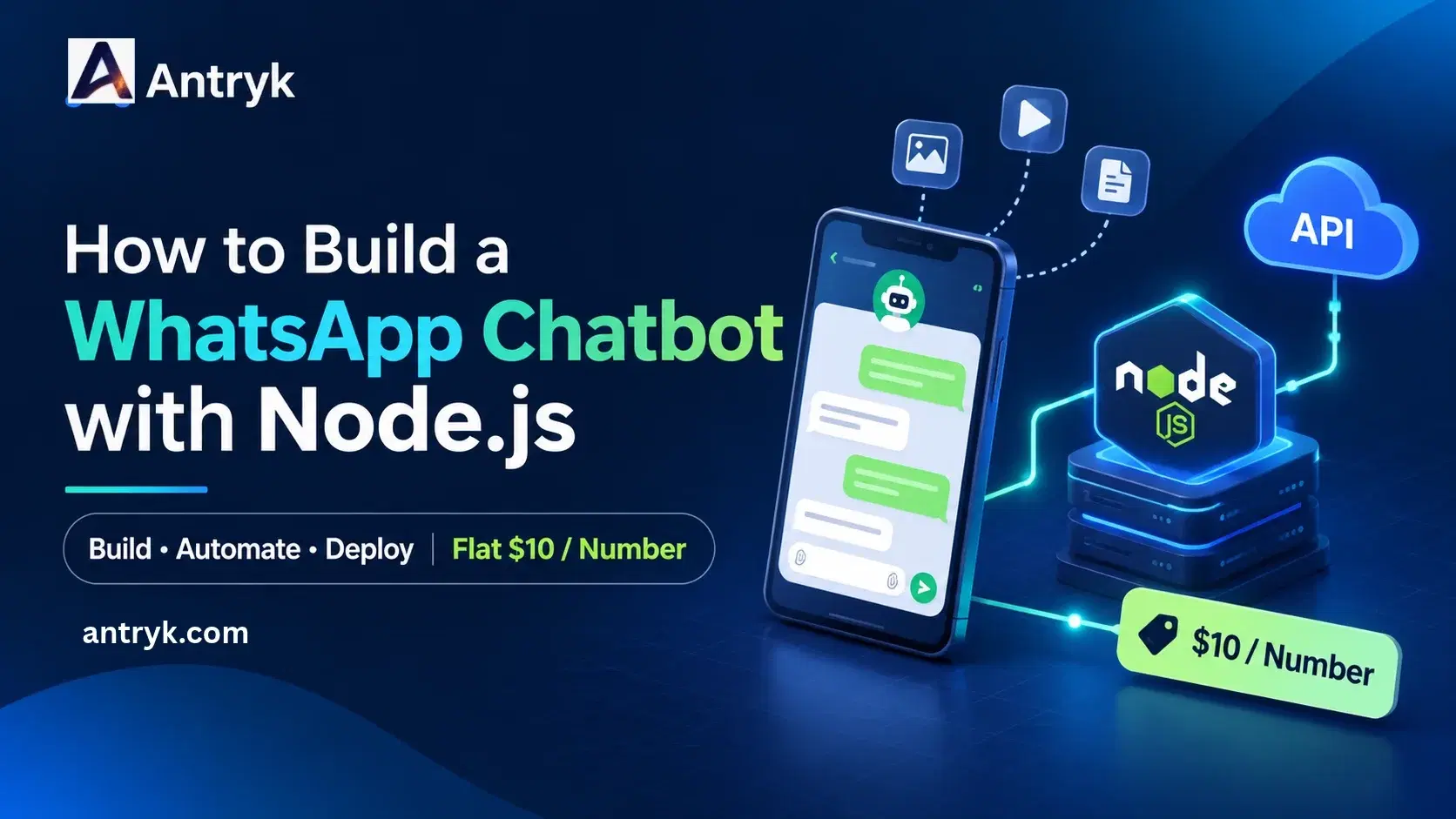
How to Build a WhatsApp Chatbot with Node.js (Flat $10/Number Pricing)#
WhatsApp is where many of your customers already are. A chatbot can confirm orders, answer common questions and send shipping updates around the clock, without a support agent typing every reply.
In this tutorial you will build a working WhatsApp chatbot with Node.js and Express. You will connect a business number to Antryk, send messages through the API, receive customer messages through a signed webhook, handle media and delivery events, and deploy everything. Along the way we will look at what it costs, because WhatsApp pricing is where many projects get surprising bills.
1. How the Antryk WhatsApp Service works#
Antryk integrates with the official WhatsApp Business API and gives each connected business number its own WhatsApp service. You do not need to build your own Meta app or manage Graph API tokens. Antryk handles the WhatsApp side and gives you two simple pieces to build on:
- 1
A Send API that your backend calls to send a message.
- 2
Webhooks that Antryk calls whenever something happens, such as a customer message or a delivery update.
The flow looks like this:
Customer sends a WhatsApp message
        ↓
Antryk receives it
        ↓
Signed POST request to your callback URL
        ↓
Your Node.js bot verifies the signature and decides a reply
        ↓
Your bot calls the Antryk Send API
        ↓
Customer receives the reply
Antryk also gives you a dashboard with an inbox, message logs and webhook audit logs, which are very useful while debugging.
2. WhatsApp API pricing: per-message vs flat rate#
Many WhatsApp API providers charge per message, or add a platform fee on top of what WhatsApp itself charges. That makes costs hard to predict, especially for notification-heavy apps such as order updates and reminders.
Antryk takes a different approach: a flat $10 per month for each connected WhatsApp number, with no per-message charges. Whether your bot sends 100 messages or 100,000, the Antryk WhatsApp fee for that number stays the same.
| Per-message providers | Antryk | |
|---|---|---|
| WhatsApp fee | Varies with volume | Flat $10/month per number |
| Budget planning | Needs usage estimates | Fixed and predictable |
| Idle months | Fees vary | Same flat rate |
You can see the current rates on the Antryk pricing page.
3. What you need#
| Requirement | Purpose |
|---|---|
| Node.js 18 or newer | Runs the bot (built-in fetch is used, so no HTTP library is needed) |
| An Antryk account | Connects your number and hosts the bot. New accounts get $10 free credit |
| A WhatsApp Business number | The number customers will message |
| A GitHub repository | For git-based deployment |
You should be comfortable with basic JavaScript, REST APIs and JSON.
4. Step 1: Connect your WhatsApp Business number#
- 1
Open the WhatsApp Services section of the Antryk dashboard.
- 2
Click Connect WhatsApp.
- 3
Enter your WhatsApp Business details and complete the configuration.
- 4
Start synchronization and wait until the status shows Completed.
- 5
Open the new service. On its Overview page you will see your business name, phone number, Phone Number ID, WABA ID and the WhatsApp Client ID.
Copy the Client ID. The Send API calls it clientId, and it tells Antryk which of your connected numbers should send the message.
5. Step 2: Create API keys#
In the dashboard, open API Keys from the sidebar and create a new key. You will get an access key and a secret key. Treat both like passwords: keep them on your server, never in frontend code or a public repository.
6. Step 3: Create the Node.js project#
mkdir whatsapp-chatbot
cd whatsapp-chatbot
npm init -y
npm install express dotenv
Create a .env file:
PORT=3000
ANTRYK_ACCESS_KEY=your_access_key
ANTRYK_SECRET_KEY=your_secret_key
WHATSAPP_SERVICE_ID=your_whatsapp_client_id
WHATSAPP_WEBHOOK_SECRET=a_long_random_string_you_choose
The webhook secret is a value you choose. You will enter the same value in the Antryk dashboard later. Add .env to .gitignore so it is never committed.
In package.json, add a start script:
{
  "scripts": {
    "start": "node server.js"
  }
}
7. Step 4: Send your first message#
The Send API is a single POST request. Authentication goes in headers, and the recipient number must be in international format with the country code, for example +919340487676.
Create server.js and start with the send function:
require('dotenv').config();
const express = require('express');
const crypto = require('crypto');

const {
  ANTRYK_ACCESS_KEY,
  ANTRYK_SECRET_KEY,
  WHATSAPP_SERVICE_ID,
  WHATSAPP_WEBHOOK_SECRET,
} = process.env;

async function sendWhatsAppMessage(to, body) {
  const response = await fetch('https://ses.antryk.com/api/v1/whatsapp/send', {
    method: 'POST',
    headers: {
      'Content-Type': 'application/json',
      'x-access-key': ANTRYK_ACCESS_KEY,
      'x-secret-key': ANTRYK_SECRET_KEY,
    },
    body: JSON.stringify({
      clientId: WHATSAPP_SERVICE_ID,
      to,
      type: 'text',
      content: { body },
    }),
  });

  const data = await response.json();
  if (!response.ok) {
    console.error('Send failed:', data);
    return null;
  }
  return data; // { success, messageId, to, queuedAt }
}
A successful response means Antryk has accepted the message for processing. It does not yet mean the customer received it. You track delivery through webhook status events, covered below, and you can match them using the returned messageId.
Common errors to handle: 401 for wrong keys, 400 for a badly formatted number or payload, 404 if the clientId does not match an active service, and 429 if you are rate limited. When retrying, use backoff so you do not send duplicates.
8. Step 5: Receive messages with a signed webhook#
When a customer writes to your number, Antryk sends a POST request with a JSON payload to the callback URL you configure. Every request carries an X-Webhook-Signature header in the form sha256=<signature>, an HMAC-SHA256 of the request body made with your signing secret. Always verify it before trusting the payload.
Here is a typical incoming message event:
{
  "event": "message",
  "from": "16315551181",
  "to": "16505551111",
  "messageId": "a1b2c3d4-internal-uuid",
  "waMessageId": "wamid.HBgLMTYz...",
  "messageType": "text",
  "body": "Hi, is this order shipped yet?",
  "mediaUrl": null,
  "timestamp": "2026-08-21T09:12:44.000Z",
  "phoneNumberId": "123456123",
  "wabaId": "987654987",
  "contact": { "profile": { "name": "John Doe" }, "wa_id": "16315551181" }
}
There are five event types:
| Event | Triggered when |
|---|---|
message | A customer sends you a message (text, image, video, document and so on) |
message_echo | Your team sends a message from the WhatsApp Business app |
message_edited | Your team edits a message sent from the app |
message_revoked | Your team deletes a message sent from the app |
message_status | A message becomes sent, delivered, read or failed |
A chatbot should reply only to message events. If it reacted to message_echo as well, it could end up replying to its own team's messages.
Now add the webhook server to server.js:
const app = express();

// Keep the raw body so the signature can be checked against exactly what was sent
app.use(express.json({
  verify: (req, res, buf) => { req.rawBody = buf; },
}));

function isValidSignature(req) {
  const signature = req.get('x-webhook-signature') || '';
  if (!signature || !WHATSAPP_WEBHOOK_SECRET || !req.rawBody) return false;

  const expected = 'sha256=' + crypto
    .createHmac('sha256', WHATSAPP_WEBHOOK_SECRET)
    .update(req.rawBody)
    .digest('hex');

  const a = Buffer.from(signature);
  const b = Buffer.from(expected);
  return a.length === b.length && crypto.timingSafeEqual(a, b);
}

// Demo only: use Redis or a database in production (see best practices)
const processed = new Set();

function chooseReply(event) {
  const text = (event.body || '').toLowerCase();
  const name = event.contact?.profile?.name || 'there';

  if (text.includes('hello') || text.includes('hi')) {
    return `Hello ${name}! How can we help you today?`;
  }
  if (text.includes('order')) {
    return 'Please send your order number and we will check the status for you.';
  }
  if (text.includes('price')) {
    return 'Tell us which product you are interested in and we will share the price.';
  }
  return 'Thanks for your message. Our team will get back to you shortly.';
}

async function handleEvent(event) {
  // Only reply to customer messages
  if (event.event !== 'message') return;

  // Retries can deliver the same event twice
  if (processed.has(event.waMessageId)) return;
  processed.add(event.waMessageId);

  // Webhook numbers have no '+', the Send API expects one
  const customer = '+' + event.from;

  if (event.messageType === 'text') {
    await sendWhatsAppMessage(customer, chooseReply(event));
  } else {
    await sendWhatsAppMessage(
      customer,
      'Thanks! We received your file and our team will review it.'
    );
  }
}

app.post('/webhooks/whatsapp', (req, res) => {
  if (!isValidSignature(req)) {
    return res.status(401).send('Invalid signature');
  }

  // Acknowledge right away, then do the work
  res.status(200).json({ success: true });

  handleEvent(req.body).catch((err) =>
    console.error('Event handling error:', err)
  );
});

app.get('/', (req, res) => res.send('WhatsApp bot is running'));

app.listen(process.env.PORT || 3000, () => {
  console.log('WhatsApp chatbot server is running');
});
Three details in this code matter in production:
Respond fast. The handler returns
200immediately and processes the event afterwards. Slow responses can be treated as failed deliveries, which triggers retries and duplicate requests.Deduplicate. Antryk retries failed deliveries, so the same event can arrive more than once. Use
waMessageIdto skip events you have already handled.Verify the signature. Reject anything that fails the check with a
401.
9. Step 6: Handle media and delivery status#
Media. For images, video, audio and documents, the message event carries messageType (for example image or document), an optional caption in body, and a mediaUrl. The mediaUrl can be null for a short time right after the message arrives, while Antryk downloads and resolves the file. Once resolved, it is a permanent URL. If you need the file immediately, store the waMessageId and fetch it again later rather than assuming the URL is present.
Your team can also send files and media from the Antryk inbox. For sending media through the API, follow the payload format in the Send WhatsApp Message reference.
Delivery status. The message_status event tells you how each outgoing message is doing. Status moves through sent, delivered and read, or ends at failed. Add a branch like this to handleEvent to log it:
if (event.event === 'message_status') {
  console.log(`Message ${event.messageId} is now ${event.status}`);
  // Update your database, alert on failures, and so on
  return;
}
Place it before the event.event !== 'message' check.
10. Step 7: Deploy on Antryk and connect the webhook#
A webhook bot needs a public HTTPS address that is always online. Antryk Web Services are built for this, with git auto-deploy, autoscaling, smart rollback and uptime monitoring included at no extra charge.
- 1
Push your project to GitHub (without the
.envfile). - 2
In Antryk, create a new Web Service from your repository.
- 3
Add your environment variables (
ANTRYK_ACCESS_KEY,ANTRYK_SECRET_KEY,WHATSAPP_SERVICE_ID,WHATSAPP_WEBHOOK_SECRET) in the service settings. - 4
Deploy and check the logs for the startup message.
Then point your WhatsApp service at the bot:
- 1
Open WhatsApp Services, choose your service and go to Overview.
- 2
Click Webhook.
- 3
Enter your callback URL, for example
https://your-bot-url/webhooks/whatsapp. - 4
Enter the same signing secret you put in
WHATSAPP_WEBHOOK_SECRET. - 5
Click Send Test Event to confirm your server is reachable and your signature check passes.
- 6
Click Save Configuration.
Now send a WhatsApp message to your business number. The bot should reply within a couple of seconds.
11. Debugging: logs and inbox#
When something does not work, Antryk gives you three places to look:
Webhook Audit Logs show each delivery attempt with its HTTP status, number of attempts, target URL and payload. A
401almost always means a signing secret mismatch.Message Logs list incoming and outgoing messages with their status.
Inbox is a WhatsApp-style view where your team can read conversations and reply manually, which is handy for handing tricky chats from the bot to a human.
12. What does it cost?#
| Item | Cost |
|---|---|
| Antryk WhatsApp connection | $10/month per number, no per-message charges |
| Antryk Web Service for the bot | From $7.99/month, billed hourly |
| Bandwidth | Free, Antryk charges no bandwidth or egress fees |
| Starting total | About $17.99/month |
New accounts get $10 in free credit, and because billing is hourly, you can delete the service at any time and pay only for the hours it ran. Read the WhatsApp pricing page for the latest terms.
13. Best practices for production#
Get opt-in. Only message customers who have agreed to hear from you.
Store processed IDs durably. Replace the in-memory
Setwith Redis or a database so duplicates are caught across restarts. Antryk offers managed Redis and PostgreSQL if you need them.Move heavy work to a queue. If replies involve AI calls or slow APIs, push the event onto a background queue.
Handle API errors. Retry
429and5xxresponses with backoff, and do not retry400errors.Keep secrets safe. Use environment variables, rotate keys if they leak, and never expose them in client code.
Monitor. Watch failed webhook attempts in the audit logs and check delivery and read rates.
Keep messages useful. Short, relevant messages perform better and keep customers from muting you.
14. Where to go next#
The keyword bot above is a starting point. Natural upgrades include:
Connecting an LLM to answer free-form questions, with a vector database for your product knowledge. Antryk offers managed Qdrant, Milvus, Chroma and Weaviate.
Looking up real order status from your database or e-commerce platform.
Sending appointment reminders and shipping updates from your backend using the same Send API.
Syncing conversations to your CRM through the webhook.
Conclusion#
With Node.js, a signed webhook and one send endpoint, you can have a working WhatsApp chatbot running in an afternoon. Antryk handles the WhatsApp connection, gives you logs and an inbox to see what is happening, and keeps the cost simple: $10 per connected number with no per-message charges, plus hosting from $7.99 a month.
Ready to build? Start with $10 free credit on Antryk and connect your first number today.
Frequently asked questions#
Can I build a WhatsApp chatbot with Node.js? Yes. Use Express to receive webhook events and call the Antryk Send API to reply. This tutorial walks through the full setup.
Does Antryk charge per WhatsApp message? No. Antryk charges a flat $10 per month for each connected WhatsApp number, with no per-message charges.
Do I need my own Meta developer app? No. You connect your business number from the Antryk dashboard, and Antryk handles the integration with the official WhatsApp Business API.
How do WhatsApp webhooks work on Antryk? When something happens on your number, Antryk sends a signed HTTP POST request to your callback URL. Your server verifies the X-Webhook-Signature header, processes the event and returns a 2xx response quickly.
How do I stop my bot replying twice to the same message? Antryk retries failed webhook deliveries, so store each waMessageId you have processed and skip repeats.
Can I send images and documents? Yes. Incoming media arrives with a mediaUrl, and your team can send files from the Antryk inbox. See the Send API reference for the payload format when sending media from code.
Can my team take over a conversation from the bot? Yes. The Antryk WhatsApp Inbox lets your team read conversations and reply manually, and messages sent from the WhatsApp Business app appear in your webhook as message_echo events.
Where do I debug failed webhooks? Open the Webhook Audit Logs for your WhatsApp service. They show status codes, attempts, the target URL and the payload of each delivery.
Is Node.js good for high-volume WhatsApp automation? Yes. Node.js handles many concurrent network requests well. For high volumes, add a background queue, a database for deduplication and monitoring.