ntryk
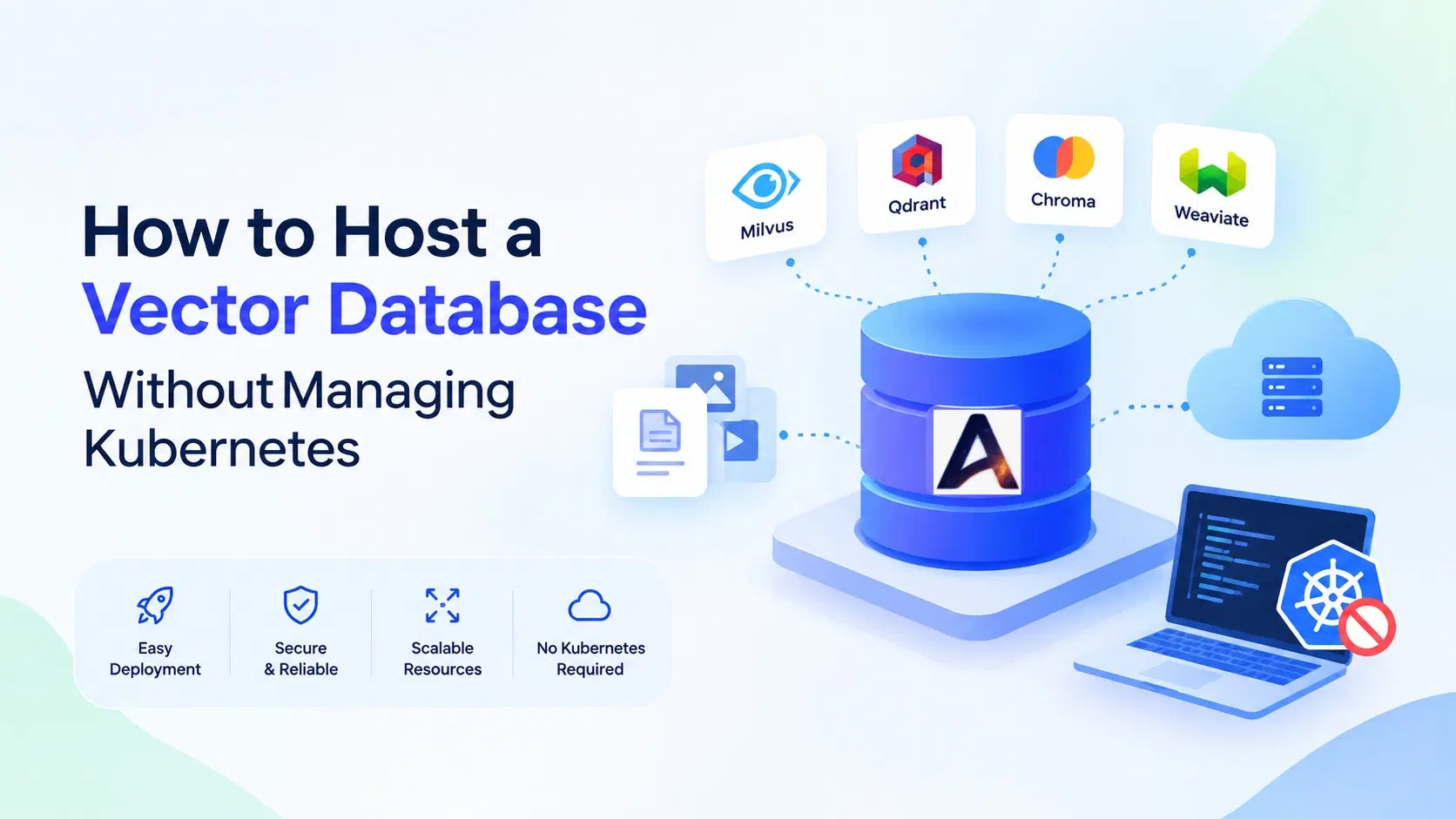
Vector databases have become an important part of modern AI applications. From retrieval-augmented generation (RAG) and semantic search to recommendation engines and AI chatbots, they help applications retrieve relevant information from large collections of data. However, deploying and maintaining the infrastructure behind these applications can become complicated, especially when Kubernetes, cluster configuration, and ongoing maintenance enter the picture.
The good news is that vector database hosting without Kubernetes is possible. Developers can choose managed hosting platforms, deploy databases on virtual private servers (VPS), or use container-based solutions without operating a full Kubernetes cluster.
For startups, independent developers, and growing businesses, the right hosting approach can reduce infrastructure overhead and free up more time for application development. This guide explains how to host a vector database without managing Kubernetes, what to consider when choosing a solution, and how managed hosting from Antryk can help simplify the process.
What Is a Vector Database?#
A vector database stores and searches vector embeddings, which are numerical representations of text, images, documents, and other types of data. AI models generate these embeddings to capture semantic meaning, allowing applications to find information based on similarity rather than relying exclusively on exact keyword matches.
For example, a customer asking, “How can I reset my account password?” could receive relevant information from a document titled “Steps to Recover Your Login Credentials.” A vector search system can identify the relationship between the two phrases even when they use different words.
Common Use Cases for Vector Databases#
Vector databases support several AI and data-driven applications, including:
Retrieval-augmented generation (RAG): Retrieve relevant information to provide context to large language models.
Semantic search: Find documents and content based on meaning.
AI chatbots: Retrieve relevant knowledge from product documentation, support resources, and internal data.
Recommendation systems: Identify similar products, articles, or user interests.
Image and multimedia search: Retrieve visually or semantically similar content using embeddings.
As these applications grow, developers need vector database hosting that balances performance, security, scalability, and operational simplicity.
Why Is Managing Kubernetes Challenging?#
Kubernetes is a powerful container orchestration platform. It helps teams deploy, scale, and manage containerized applications across clusters. However, it also introduces operational responsibilities that may be unnecessary for smaller AI projects or teams without dedicated infrastructure engineers.
Infrastructure Configuration and Deployment Complexity#
Operating a Kubernetes-based vector database can involve configuring clusters, persistent storage, networking, access permissions, deployment manifests, and resource limits. Helm charts and YAML files can simplify repeatable deployments, but they still require familiarity with the ecosystem.
Scaling, Monitoring, and Maintenance#
Production workloads need monitoring, capacity planning, updates, backups, and troubleshooting. Teams running their own clusters must decide how to allocate resources, handle failures, and maintain reliable database access.
Infrastructure Costs#
Kubernetes itself is open source, but the infrastructure around it can generate costs. Compute instances, storage, load balancers, monitoring tools, and engineering time all contribute to the total cost of ownership.
For teams that simply need a reliable database for an AI application, vector database hosting without Kubernetes can be a more practical starting point.
Can You Host a Vector Database Without Kubernetes?#
Yes. The best approach depends on how much control your team needs and how much infrastructure it is prepared to manage.
Option 1: Use Managed Vector Database Hosting#
A managed hosting platform handles much of the underlying infrastructure and deployment process. Depending on the provider, it may also manage updates, monitoring, backups, resource allocation, and scaling.
This approach is useful for teams that want to focus on embeddings, retrieval logic, and application development instead of cluster administration.
Before choosing a provider, check which database engines it supports, how resources are allocated, what security controls are available, and whether backup and recovery features meet your requirements.
Option 2: Deploy on a Virtual Private Server#
A virtual private server provides dedicated virtualized resources for running a database. You can install a supported vector database directly or use Docker to package the application.
This option offers flexibility and control, but you remain responsible for operating-system updates, database configuration, security, backups, monitoring, and recovery. Scaling may also require manual intervention.
A VPS can be suitable for smaller workloads when you have the technical expertise to manage the environment.
Option 3: Use Docker Without Kubernetes#
Docker allows you to package a vector database and its dependencies into a container. You can run that container on a suitable server without introducing Kubernetes.
Containerization makes deployment more consistent across development and production environments. However, Docker alone does not automatically provide high availability, automated recovery, distributed scaling, or managed backups. These capabilities need to be configured separately or supplied by your hosting provider.
For teams that want to avoid both cluster administration and routine server maintenance, managed vector database hosting is often the simplest option.
How to Host a Vector Database Without Managing Kubernetes#
The following steps provide a practical approach to deploying a vector database while keeping infrastructure responsibilities manageable.
Step 1: Choose the Right Vector Database#
Start by identifying your application's requirements. Consider the type and volume of data, embedding dimensions, query patterns, filtering needs, expected latency, and integration requirements.
Popular options include:
Qdrant: A vector search engine designed for similarity search and filtering.
Milvus: A vector database suited to a broad range of vector search workloads, including larger-scale applications.
Chroma: A developer-friendly option for building and experimenting with AI applications.
Weaviate: A vector database that supports vector search and hybrid retrieval capabilities.
Each option has different architectural characteristics. Test your shortlisted engines against your actual workload rather than choosing solely on popularity.
Step 2: Select a Hosting Approach#
Once you choose an engine, decide whether you want to manage the infrastructure yourself.
A self-managed VPS or Docker deployment gives you greater control but requires ongoing maintenance. Managed vector database hosting can reduce the operational burden by simplifying provisioning and routine infrastructure tasks.
Evaluate the provider's deployment process, supported database versions, resource limits, network access, pricing, and migration options before committing.
Step 3: Allocate CPU, RAM, and Storage#
Your infrastructure requirements depend on dataset size, embedding dimensions, indexing strategy, concurrency, and query volume.
Memory can be particularly important for vector indexes and low-latency search. Storage requirements include the original records or metadata you retain, vector data, indexes, and any additional database files.
Start with a realistic workload estimate, benchmark your application, and adjust resources based on observed usage. Avoid choosing a large configuration before you have performance data.
Step 4: Deploy the Database#
With a managed hosting provider, follow its supported deployment workflow to select the engine and configure the required resources. Depending on the platform, provisioning may involve a dashboard or a guided setup process.
For self-managed deployments, install the database using its official documentation or a supported container image. Configure persistent storage and ensure data survives container restarts.
In either case, verify that the database starts successfully and that your application can connect to it.
Step 5: Connect Your AI Application#
Configure the database endpoint, authentication credentials, and client library in your application. Generate embeddings using your chosen embedding model, store the vectors alongside relevant identifiers and metadata, and implement similarity searches.
For a RAG application, the typical workflow includes embedding source documents, storing the vectors, retrieving relevant chunks for a user query, and passing the retrieved context to a language model.
Test insertion, updates, deletion, metadata filtering, and retrieval quality before exposing the system to production traffic.
Step 6: Configure Security and Backups#
A vector database may contain proprietary documents, customer information, or internal knowledge. Security should be part of deployment from the beginning.
Use authentication, encrypted connections, and network restrictions where supported. Store credentials securely, follow the principle of least privilege, and avoid exposing administrative interfaces unnecessarily.
Check the provider's backup policy and recovery options. If you manage the database yourself, configure regular backups and test restoration. A backup is only useful if it can be recovered successfully.
Step 7: Monitor Performance and Scale#
Track query latency, memory consumption, CPU usage, storage growth, indexing time, and error rates. These metrics help you identify bottlenecks before they affect users.
When performance declines, investigate whether the cause is insufficient resources, inefficient filtering, index configuration, embedding generation, or application-level behavior.
Choose a hosting platform that gives you a clear path to increasing resources or moving to a larger deployment as demand grows.
What Should You Look for in a Managed Vector Database Hosting Platform?#
Not every hosting service provides the same level of management. Compare providers based on the requirements that matter to your application.
Support for Multiple Vector Database Engines#
A platform that supports engines such as Qdrant, Milvus, Chroma, and Weaviate gives developers flexibility when selecting a database. Confirm the exact engines and versions available before deployment.
Simple Deployment and Resource Management#
Look for a clear process for creating instances, configuring resources, connecting applications, and managing deployments. A straightforward workflow can reduce setup effort without requiring Kubernetes expertise.
Transparent Pricing#
Understand what your plan includes. Compare memory, CPU, storage, bandwidth, backups, and scaling charges. Check whether additional services or usage limits could affect your total cost.
Security, Isolation, and Reliability#
Review authentication, encryption, instance isolation, availability commitments, backup policies, and support arrangements. Do not assume every managed provider includes the same protections or service guarantees.
Room to Scale#
Your hosting solution should support your expected growth. Consider how easily you can increase resources, monitor consumption, and migrate data if your workload outgrows its current configuration.
Why Consider Antryk for Vector Database Hosting?#
For developers who want to run a vector database without managing Kubernetes infrastructure, Antryk offers a hosting option worth evaluating.
Antryk's vector database hosting service lists support for Milvus, Qdrant, Chroma, and Weaviate. This gives teams several database engines to consider for AI search, retrieval, and embedding-based applications.
The service's published offering highlights features such as isolated instances, SSL, custom domain support, and storage autoscaling. These can be useful when evaluating a platform for production workloads, although the exact configuration and availability of each feature should be confirmed against the current plan.
Antryk also presents a simpler alternative for teams that do not want to build their own Kubernetes-based deployment workflow. Rather than spending all their time on infrastructure, developers can focus on application logic, embedding pipelines, and improving retrieval quality.
Before selecting a plan, compare the available CPU, RAM, storage, and pricing with your expected workload. You should also confirm backup and recovery arrangements, access controls, scaling behavior, and any applicable usage limits.
Explore Antryk's Vector Database Hosting and Pricing to review the current options and find a configuration that fits your project.
Common Mistakes to Avoid When Hosting a Vector Database#
Even when you avoid Kubernetes, good operational practices remain essential.
Underestimating memory requirements: Benchmark representative datasets and queries before choosing a resource configuration.
Ignoring data persistence: Ensure your vectors and indexes are stored safely and are not lost when a container restarts.
Leaving database endpoints exposed: Configure authentication, encryption, and appropriate network restrictions.
Skipping recovery tests: Verify that backups can restore the data your application needs.
Scaling without measurement: Use metrics and workload tests to guide resource changes.
Overlooking portability: Understand how to export, back up, or migrate your data if you change providers.
A simpler deployment model reduces some operational work, but it does not eliminate the need for security, monitoring, and recovery planning.
Frequently Asked Questions#
Can I run a vector database without Kubernetes?#
Yes. You can use managed vector database hosting, deploy a database on a VPS, or run it in a Docker container on a suitable server. Your choice depends on your workload, maintenance capacity, and operational requirements.
Is Docker enough to run a production vector database?#
Docker can package and run a database, but it does not automatically provide high availability, backups, monitoring, or disaster recovery. These capabilities must be configured separately or provided by a managed hosting service.
Which vector database is easiest to host?#
The answer depends on your experience and use case. Chroma can be convenient for experimentation, while Qdrant, Milvus, and Weaviate serve different application and scaling requirements. A managed hosting platform can simplify deployment regardless of the engine you select.
Is managed vector database hosting suitable for startups?#
It can be. Managed hosting may reduce the time and expertise required for infrastructure maintenance. Startups should compare total costs, available resources, data controls, reliability, and the provider's ability to support future growth.
Does avoiding Kubernetes mean sacrificing scalability?#
Not necessarily. Managed services may offer resource upgrades and other scaling features without requiring customers to operate a Kubernetes cluster. However, scaling limits and availability depend on the provider and database architecture, so verify them before deployment.
Conclusion#
Hosting a vector database does not have to mean managing Kubernetes clusters, Helm charts, and complex deployment pipelines. Managed hosting, Docker, and VPS deployments all provide ways to run vector databases with different levels of control and operational responsibility.
The best approach is to choose a database that fits your application, allocate resources based on measured needs, secure your deployment, test backups, and plan for growth.
If your priority is building AI applications rather than maintaining infrastructure, vector database hosting without Kubernetes is a practical path to consider. Explore Antryk's vector database hosting options to compare supported engines, available resources, and pricing for your next AI project.