ntryk
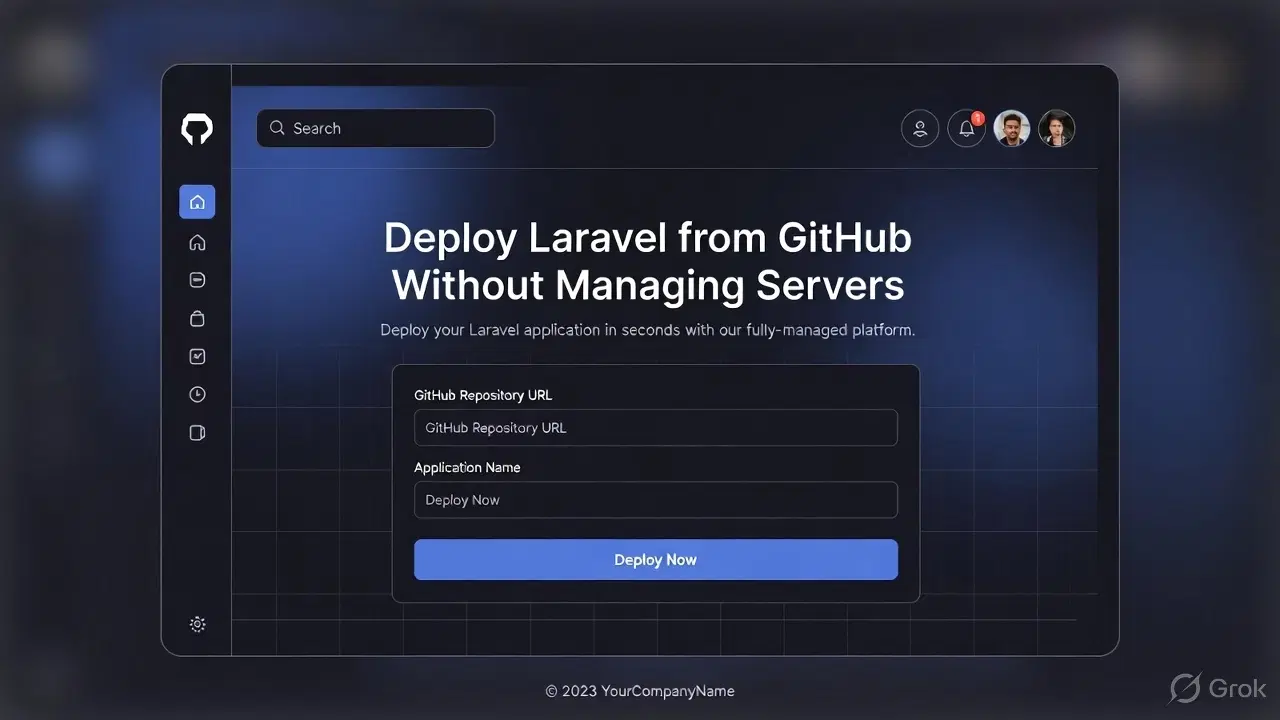
You can deploy a Laravel app from GitHub without managing servers: connect your repository, set your environment variables, and let a managed platform build, run and restart the app for you. No SSH, no Nginx config, no PHP-FPM tuning, no patching Ubuntu at 2 a.m.
The catch is that Laravel is not a static site. A production deploy needs an app key, a database, migrations, queue workers, a scheduler, and a place for uploaded files that survives a restart. Most failed first deploys come from one of those, not from the platform itself.
This guide covers what "without managing servers" really means, how to get your app production-ready, the exact deploy flow, and the errors you are most likely to hit, with fixes.
What "without managing servers" actually means#
When a platform manages the servers, it takes over the parts of hosting that have nothing to do with your code:
The operating system, security patches and uptime of the machines
The PHP runtime and the web server in front of your app
TLS certificates and HTTPS
Restarting your app when it crashes
Building your app every time you push to GitHub
You still own everything inside the app:
Environment variables and secrets
Your database schema and migrations
How queue workers and the scheduler run
Where uploaded files and logs go
Whether a release is safe to roll back
Knowing this split is the whole game. Platforms remove the server work, but they cannot make a stateful app stateless for you. The next section fixes that.
Step 1: Make your Laravel app production-ready#
Do these once before your first deploy.
1. Keep secrets out of Git. Your .env file must be in .gitignore. You will enter these values in your platform's dashboard instead.
2. Generate an app key. Laravel will not boot without APP_KEY. Generate one locally and copy it:
bash
php artisan key:generate --show3. Commit composer.lock. Your platform installs dependencies from it, so builds are repeatable. Check your PHP version too: current Laravel versions need PHP 8.2 or higher.
4. Make sure your frontend builds. If you use Vite, npm ci && npm run build must succeed on a clean checkout. A missing public/build/manifest.json is the number one cause of unstyled pages after deploy.
5. Make the app stateless. On a managed platform, the app's local disk is usually temporary and is wiped on every deploy or restart. So:
Store uploads in object storage, not in
storage/app/publicUse the database or Redis for sessions and cache, not files
Send logs to stderr so you can read them in the platform's log viewer
env
FILESYSTEM_DISK=s3
SESSION_DRIVER=database
CACHE_STORE=database
LOG_CHANNEL=stderr(CACHE_STORE is the name in Laravel 11 and later. Older versions use CACHE_DRIVER.)
6. Trust the platform's proxy. Your app sits behind a load balancer that terminates HTTPS. If Laravel does not trust it, you get mixed-content errors and wrong redirect URLs. In Laravel 11 and later, add this to bootstrap/app.php:
php
->withMiddleware(function (Middleware $middleware) {
    $middleware->trustProxies(at: '*');
})
7. Keep the health route. Laravel 11 and later ships a /up health endpoint. Platforms use checks like this to decide whether a new release is healthy.
Step 2: Connect your GitHub repository#
Sign in to your platform, create a new app, and authorize GitHub. Pick the repository and the branch you want to deploy, usually main.
Good platforms detect Laravel automatically and build it for you. Some do not: for example, Render has no native PHP runtime and expects a Dockerfile for Laravel. If you do not want to write and maintain a Dockerfile, check this before you commit to a platform.
Turn on auto-deploy so every push to your branch builds and releases a new version.
Step 3: Set your environment variables#
This is where most first deploys go wrong. Add these in the platform's environment settings, not in a file in the repo:
APP_NAME: your app's nameAPP_ENV=productionAPP_DEBUG=false(never leave debug on in production, it exposes stack traces and secrets)APP_KEY: the key you generated earlierAPP_URL=https://yourdomain.comDB_CONNECTION,DB_HOST,DB_PORT,DB_DATABASE,DB_USERNAME,DB_PASSWORDQUEUE_CONNECTION=database(orredis)SESSION_DRIVER,CACHE_STORE,FILESYSTEM_DISK,LOG_CHANNELfrom the earlier stepAny API keys, mail credentials and third-party tokens your app reads
If you add a variable after the first deploy, redeploy so the app picks it up. If you cached config with php artisan optimize, old values stick around until the next build.
Step 4: Connect a managed database#
Create a managed MySQL or PostgreSQL database and copy its connection details into your DB_* variables. Do not run your database inside the same container as your app: it would disappear with the container.
Use the database's private or internal address if the platform offers one. It is faster and keeps the database off the public internet.
Step 5: Run migrations on every deploy, safely#
Your deploy should run:
bash
php artisan migrate --forceThe --force flag is required in production, because Laravel refuses to run migrations without it outside local environments.
Running migrations automatically is convenient, but it creates one risk worth understanding: rolling back your code does not roll back your database. If release 42 adds a column and release 43 drops it, going back to release 42's code will not bring the column back.
The fix is to write migrations that work with both the old and new code:
- 1
Add first. Add new columns as nullable or with defaults. Deploy.
- 2
Switch the code to use the new column. Deploy.
- 3
Clean up later. Drop old columns in a separate release, once nothing uses them.
Never drop or rename a column in the same release that stops using it. If that release fails and rolls back, the old code will break against the new schema.
Step 6: Run queue workers and the scheduler#
Emails, notifications, imports and exports usually run as queued jobs. A web process cannot do this, you need dedicated worker processes.
Run the worker as its own process, separate from your web service:
bash
php artisan queue:work --tries=3 --max-time=3600--max-time=3600 makes the worker exit and restart cleanly every hour, which avoids slow memory growth. Workers keep your application code in memory, so they must restart on every deploy to use new code. On container-based platforms the old workers are normally replaced when the new release goes live. On a VPS you would run php artisan queue:restart yourself.
For scheduled tasks, run the scheduler as its own long-running process:
bash
php artisan schedule:workRun only one scheduler process. If you scale the app to several instances, mark time-sensitive tasks with ->onOneServer() so they do not run twice.
Step 7: Add your custom domain, HTTPS and redirects#
Your platform gives you a default URL so you can test straight away. To go live on your own domain:
- 1
Add the domain in the platform.
- 2
Copy the DNS record the platform shows you and add it at your domain provider.
- 3
Wait for the record to propagate, then verify the domain.
- 4
Set
APP_URLto the final HTTPS address and redeploy.
Decide on one canonical address, either www.example.com or example.com, and redirect the other to it. Duplicate versions of the same site split your SEO. Also redirect HTTP to HTTPS; most platforms do this automatically once the certificate is issued.
Step 8: Know how rollbacks work#
A rollback deploys an earlier version of your code. Two kinds are worth having:
Manual rollback. You pick a previous commit or release and redeploy it. Useful when a bug gets through that the platform could not detect.
Automatic rollback. If a new release fails to start or crashes, the platform keeps or restores the last healthy version, so users are not left with a broken site.
Neither one undoes a database migration, as covered in Step 5. That is why backward-compatible migrations matter. Also remember that a rollback restores code, not user data or uploaded files, so keep those in the database and object storage.
Common first-deploy errors and how to fix them#
500 error on every page. Almost always a missing or empty APP_KEY. Set it, redeploy, then check the logs.
Pages load but CSS and JavaScript return 404. The Vite build did not run, or did not finish. Make sure npm ci && npm run build is part of your build step.
Mixed-content warnings or redirect loops on HTTPS. Laravel does not trust the proxy. Add trustProxies, and set APP_URL to the https:// address.
Uploaded files disappear after a deploy. You are saving to local disk. Move uploads to object storage and set FILESYSTEM_DISK.
Emails and notifications never send. No queue worker is running, or QUEUE_CONNECTION is sync locally but misconfigured in production. Start a worker process and confirm the connection value.
Jobs run old code after a deploy. Your worker was not restarted. Restart workers on every release.
"Permission denied" on storage/logs. The container's filesystem is read-only or owned by another user. Set LOG_CHANNEL=stderr so logs go to the platform instead of a file.
Migration fails in production but works locally. Check that you used --force, and run php artisan migrate --pretend locally to preview the SQL.
Which deployment approach fits you?#
Shared hosting or cPanel. Cheapest and simplest. Fine for small apps without queues, but limited for anything with workers or a build step.
VPS plus a server manager like Laravel Forge. Full control. A tool like Forge provisions and configures servers you rent, but you still own updates, scaling and recovery.
Laravel's own managed platform, Laravel Cloud. Built for Laravel and fully managed, with usage-based pricing.
A general Git-based platform. Connect a repo, get builds, workers, databases and domains in one place, and run your other apps (Node, Python and so on) next to Laravel.
Choose based on how much operations work you want to keep. If the honest answer is "none", a managed Git-based platform is the right fit.
Deploying Laravel on Antryk#
Antryk is a managed cloud platform built for exactly this workflow. You connect your GitHub repository and deploy Laravel with no Dockerfile. You set your own environment variables, and migrations run automatically on every deploy. Queue workers run on Antryk's Background Workers, and you can attach any managed database to your app.
Custom domains are simple: type your domain, add the DNS record Antryk gives you at your domain provider, and click verify. Redirects are configurable from the same place. For releases, you can roll back to any previous commit, and if a new deployment errors or its pod crashes, Antryk automatically rolls back to the last stable version.
[Follow the step-by-step Antryk Laravel deployment tutorial →]
Frequently asked questions#
Can I deploy Laravel without a server? Yes. A managed platform runs the servers for you. You connect your GitHub repo, add environment variables and deploy. You never log in to a machine.
Do I need a Dockerfile to deploy Laravel? Not on every platform. Some detect Laravel and build it automatically. Others, such as Render, expect you to supply a Dockerfile for PHP. Check before you choose.
How do I run queue workers without managing servers? Run php artisan queue:work as a separate worker process on your platform, not inside the web service. Restart it on every deploy so it uses new code.
How do I run Laravel migrations on deploy? Run php artisan migrate --force as part of the deploy. Write backward-compatible migrations so a rollback does not break the old code.
Where should I store uploaded files? In object storage such as an S3-compatible bucket. Local disk on a managed platform is temporary and is cleared on deploy or restart.
Do I need Nginx or PHP-FPM? No. The platform provides the web server and PHP runtime. You only manage your application code and configuration.
Does rolling back undo my database changes? No. A rollback restores earlier code, not earlier data. That is why you add columns in one release and remove old ones in a later one.
How do I add a custom domain and redirect www? Add the domain in your platform, create the DNS record it shows you at your domain provider, verify it, then choose one canonical address (www or non-www) and redirect the other.