ntryk
ntryk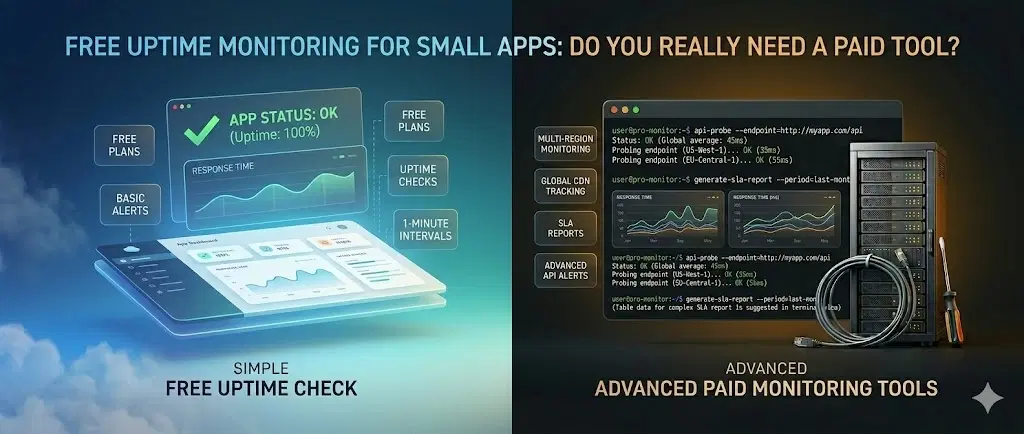
Free Uptime Monitoring for Small Apps: Do You Really Need a Paid Tool?#
Picture this. It's a Tuesday afternoon. You pushed a small config change in the morning, grabbed lunch, and got back to building a new feature. Everything feels fine.
Except your API has been returning 503 errors for the last two hours. Three users already gave up and churned. One left a review. Another emailed your support address - which you check every other day.
You had no idea. There was nothing to tell you.
This is the most common way developers find out their service is down: someone else tells them. And by then, the damage is already done. It doesn't matter if you're running a side project with 50 users or a SaaS with 50,000, the gap between "something broke" and "you found out" is where trust dies.
Why downtime hurts more than you think#
Downtime isn't just a technical inconvenience. It's a trust problem.
The numbers are stark regardless of your size. Small businesses with fewer than 25 employees can face downtime costs of around $1,670 per minute. Companies with 20-100 employees report average hourly losses between $8,000 and $25,000 when you factor in lost revenue, productivity, and recovery time. And that's before you count the users who silently churned and never came back.
Those figures feel abstract until it's your app. Your users. Your churn.
The harder part isn't the money - it's the trust. A user who hits a broken app at the wrong moment doesn't file a bug report. They just leave. And you never know why.
That's true whether you're a solo founder with 200 users or an engineering team shipping to 200,000.
The silent failures nobody talks about#
"Website down" is the one everyone imagines. But in reality, most production failures are quieter and more confusing than a full outage - and they hit teams of all sizes.
Here's what actually goes wrong:
Your HTTP endpoint starts returning errors - but not always#
The homepage loads fine. The /api/checkout endpoint is throwing 500s. Users can browse your product but can't complete a purchase. Your uptime check on the homepage says green. Everything looks okay from the outside.
This is one of the most dangerous failure modes - partial outages that your users hit but your dashboard never shows.
Your TCP port is closed and you don't know it#
A deployment goes out. Something in the network config changes. Suddenly your database port, mail server, or SSH port is unreachable - but your application might still appear to be running because the web server is still responding.
TCP monitoring checks whether a specific port on your server is actually open and accepting connections. Without it, you're only seeing half the picture.
Your WebSocket connection silently drops#
Real-time features - live chat, notifications, collaborative editing, live dashboards - all depend on WebSocket connections staying alive. WebSockets can drop without an error. Without active monitoring, you'll find out when a user says "the live updates stopped working" and you have no idea when it happened or why.
Your SSL certificate expired#
It happens to everyone at least once. Auto-renewal failed silently. The cert expired. Now every browser is showing users a security warning on your site. Depending on how long it takes you to notice, this can destroy trust that took months to build.
A third-party dependency brought you down#
Your payment gateway, email provider, or auth service went down. Your app depends on it. Users are getting errors. But since your server is technically running fine, nothing in your internal logs looks alarming.
What you're doing instead (and why it doesn't work)#
Most developers and small teams, if they're being honest, are monitoring their uptime with one of these:
Checking manually - opening the browser and seeing if it loads. This works great until it doesn't, which is usually when you're asleep, in a meeting, or on a weekend.
Waiting for user reports - which means your monitoring SLA is however long it takes a frustrated user to reach out. Most won't.
Looking at server logs occasionally - logs tell you what happened. They don't tell you when something is wrong right now, and they definitely don't wake you up.
A free ping service that checks once every 5 minutes - better than nothing, but a 5-minute check interval means your app could be down for 4 minutes and 59 seconds before any alert fires. That's a long time.
None of these are monitoring. They're just hoping.
What proper uptime monitoring actually does#
Good uptime monitoring does three things your current setup probably doesn't:
1. It checks continuously, not just once in a while
A monitor that checks your endpoint every 30–60 seconds gives you near-real-time awareness. You know within a minute that something is wrong - not within an hour.
2. It monitors more than just the homepage
You can set up monitors for:
HTTP/HTTPS endpoints - specific URLs, with expected status codes. Monitor
/api/health,/checkout,/login- not just your homepageTCP ports - check that your database port, mail server, or any custom port is open and responding
WebSocket connections - verify that your real-time features are actually staying alive
SSL certificate expiry - get alerted days before your cert expires, not after
3. It tells you immediately when something breaks
The moment a monitor detects a failure, it alerts you. Not via a dashboard you have to remember to open - via:
Email - sent directly to your inbox the moment an endpoint goes down
SMS - if you need to be woken up at 3 AM for critical services
Webhooks - send alerts to Slack, Discord, PagerDuty, or any custom endpoint your team uses
That last one matters. The best monitoring setup isn't the one with the fanciest dashboard - it's the one that gets the right alert to the right person before your users notice anything is wrong.
Do you actually need a paid monitoring tool?#
Short answer: not at the start - and often not even later.
The paid monitoring market is full of tools built for enterprise engineering teams. Multi-region synthetic checks, SLA reporting, custom dashboards with 15 integrations, incident management workflows - genuinely useful at a certain scale, completely overkill for most apps.
Whether you're just launching or already have users depending on you, what you actually need first is:
HTTP, TCP, and socket monitoring on your key endpoints
Alerts via email, SMS, or webhook when something goes down
Reasonable check intervals (every 30-60 seconds)
SSL certificate expiry alerts
A clean dashboard so you can see status at a glance
That covers 90% of real-world incidents. And you don't need to pay for it.
How Antryk Monitors works (and why it's free)#
Antryk Monitors covers everything a production app actually needs - HTTP, TCP, and socket monitoring, with instant alerts via email, SMS, and webhooks and it's completely free. Not a free trial. Not a free tier with a 30-day clock. Free.
The reason it's free is straightforward: Antryk is a cloud platform built for developers and teams who want to focus on shipping, not maintaining. Monitoring is the kind of thing you should have running from day one, whether that's before your first user or after your ten-thousandth. Keeping it free means there's no reason not to have it.
Setup takes about two minutes. You add an endpoint, choose your alert channel, and the monitor starts checking. When something goes down, you get notified before your users do.
Want to see the entire setup process in action? Watch this step-by-step video tutorial:
Free Uptime Monitoring on Antryk - Get Notified When Your Website Goes Down
The tutorial walks through creating an Antryk account, claiming the free credits, setting up your first uptime monitor, configuring email and SMS alerts, monitoring multiple websites, tracking uptime history, and managing all your monitors from a single dashboard.
You can set up separate monitors for:
Your main domain (
https://yourapp.com)Your API health endpoint (
https://yourapp.com/api/health)Your database TCP port
Your WebSocket endpoint
Any third-party integration you depend on
If you want to see how to set one up step by step, here's a full walkthrough: How to create your first uptime monitor on Antryk → (link to tutorial blog)
A quick note on check intervals and alert fatigue#
One thing worth mentioning: more frequent checks aren't always better if your alerting isn't smart.
If your monitor checks every 30 seconds and immediately fires an alert on the first failure, you'll get a lot of false positives - a single slow response or a brief blip will wake you up unnecessarily. Good monitoring tools check a few times before confirming a real outage before alerting you. That way, you're only notified when something is genuinely broken, not when your server sneezed.
This is worth asking about when evaluating any monitoring tool, free or paid.
The uptime monitoring checklist for any app#
Before you consider your app properly monitored, you should have:
At least one HTTP monitor on your main domain
An HTTP monitor on your critical API endpoints (auth, payments, core features)
A TCP monitor on any open ports your app depends on
A WebSocket monitor if you have real-time features
SSL certificate expiry alerts (set to warn at 14 days and 7 days)
At least one alert channel configured (email minimum, webhook if you use Slack/Discord)
A quick way to check current status without logging into a dashboard (a status page or mobile alert)
If you're checking all of those boxes, you're ahead of most teams - regardless of size.
Bottom line#
Your app will go down. Not because you're a bad developer because everything goes down eventually. The question is whether you find out first, or your users do.
Monitoring isn't glamorous. It doesn't ship features or grow your MRR. But it's the thing that keeps a rough hour from turning into a reputation problem and whether you're a solo founder or a team of ten, automated alerts are the only reliable way to stay ahead of failures you can't predict.
The good news is you don't need to spend anything to have it. Set up your monitors, configure your alerts, and then go back to building.
The monitoring will handle itself.
Want to set up uptime monitoring for your app in under 2 minutes? Antryk Monitors is completely free - HTTP, TCP, socket monitoring with email, SMS, and webhook alerts included.
Priyanka K
Cloud Infrastructure Engineer
Priyanka has a background in backend engineering and cloud infrastructure. She's spent the last five years helping early-stage startups make smarter infrastructure decisions — without overcomplicating things. When she's not writing, she's probably arguing about database indexing strategies or breaking something in a staging environment. She believes good infrastructure should be invisible, and your weekend should stay yours.